Jewellery stock software with QR tags and tally
Every piece gets a tag with weight, purity and HUID. Count your stock by scanning with a phone, counter by counter, and see at once what is found and what is missing.
- QR and barcode tags
- Stock tally by scan
- HUID on every tag
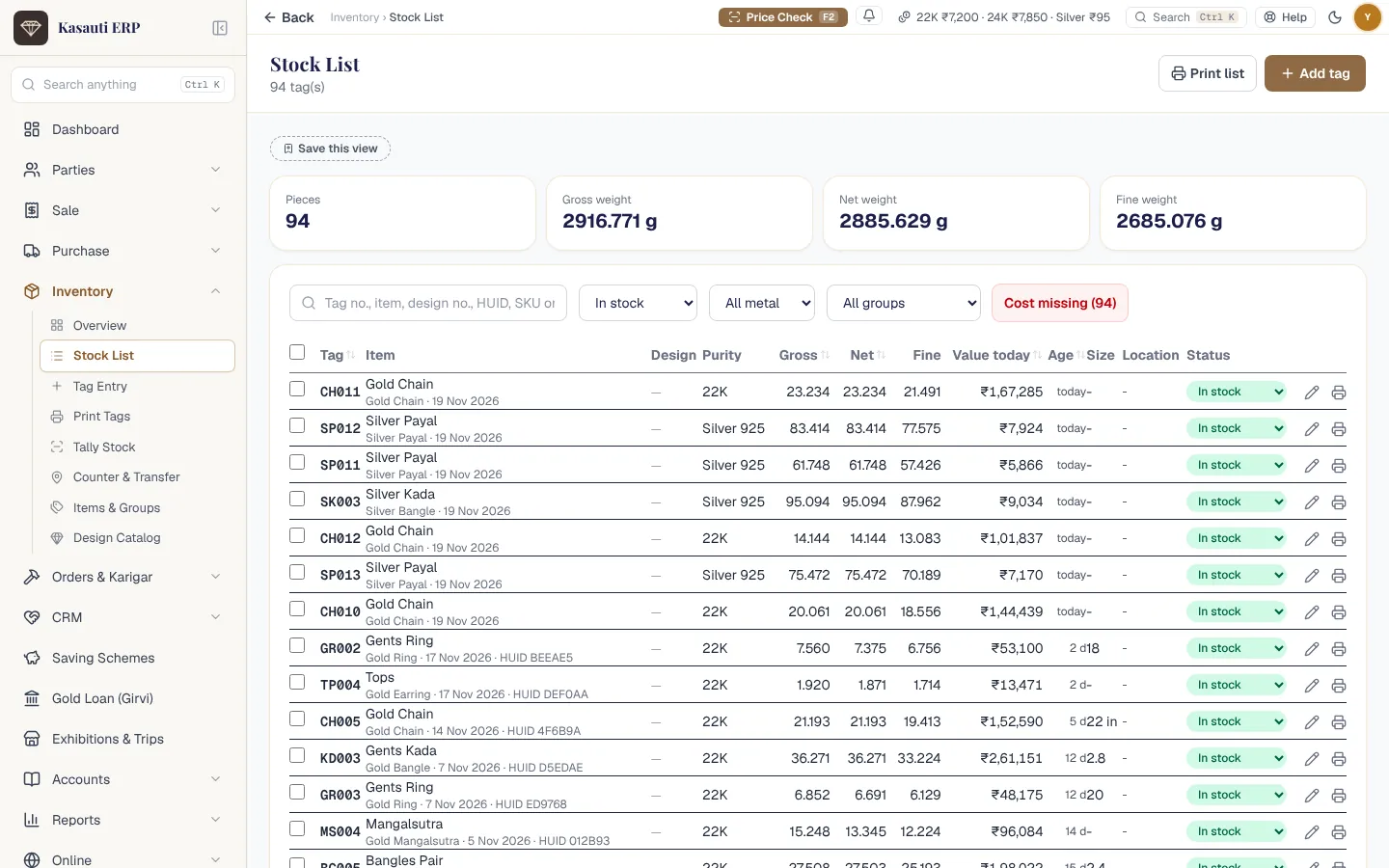
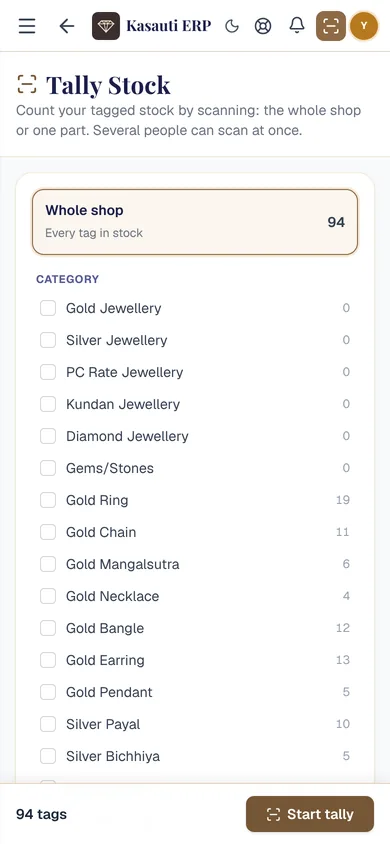
Stock & QR Tags in Kasauti ERP
Tag entry
Item, gross and net weight, purity, making, stones, size and HUID for every piece.
QR and barcode tags
Print tags on your tag printer. Scan any tag to see the piece and today's price.
Stock tally by scan
Scan the whole shop or one counter with phones; found, not found and others show live.
HUID and hallmark
HUID on each tag and bill, with a list of pieces that still need it.
Counters and boxes
Keep stock by counter and box, and move it from one to another.
Bulk stock
Loose and bulk stock by weight, turned into tags when you need them.
Three simple steps
Make the tag
Enter the piece once; print the QR tag.
Sell or move it
Billing and transfers update stock by themselves.
Tally by scanning
Scan with phones; the software shows what is found and what is not.
Common questions
Can I tally stock with a mobile phone?
Yes. Any phone's camera scans the QR tags; several people can scan at the same time.
Can I bring my existing stock from Excel?
Yes. Stock, customers, suppliers and karigars can be imported from Excel or CSV.
Does the tag show HUID?
Yes. HUID can be added to every tag and is printed on the bill.
See it with your own shop's items
A free demo on call or at your shop. We set up your shop and train your staff.