Order and repair management for jewellers
Book an order or repair with photo, size and due date, note the advance and give it to a karigar. You always know which order is where, and the customer hears when it is ready.
- Photo, size and due date
- Advance noted
- WhatsApp when ready
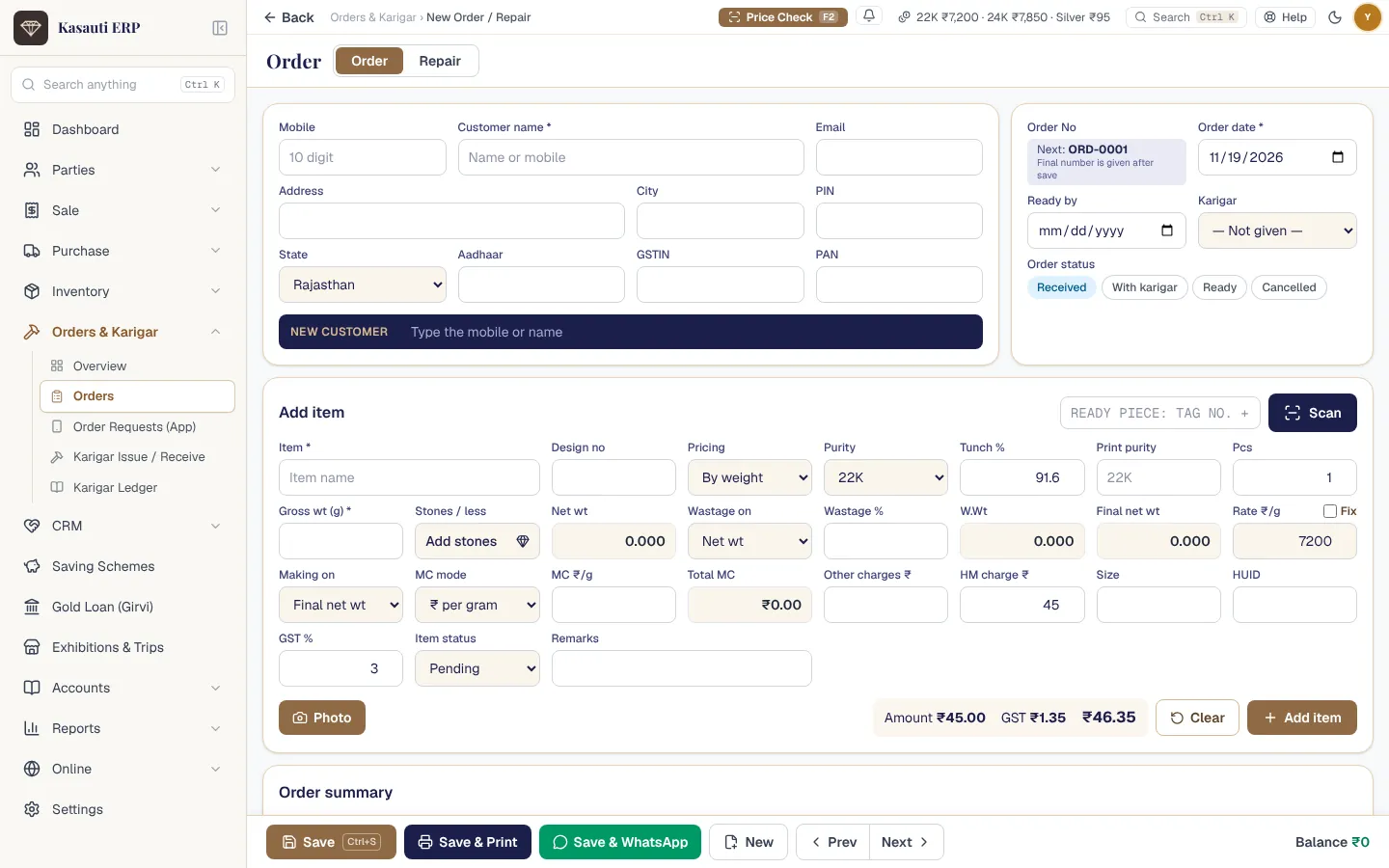
Orders & Repairs in Kasauti ERP
Order slip
Customer, design photo, size, weight and due date on one slip.
Repairs
Repairs booked the same way, with what was received from the customer.
Advance
Take an advance with the order and see it on the order list.
Karigar assigned
Give the order to a karigar with its due date.
Ready on WhatsApp
The customer gets a WhatsApp message when the order is ready.
Orders from the app
Customers can send an order request from your customer app.
Three simple steps
Book the order
Photo, size, due date and advance.
Give it to a karigar
Track it till it comes back.
Deliver
Mark it ready, tell the customer and make the bill.
Common questions
Can I add a design photo?
Yes. Add photos from the phone camera to the order.
Is the advance recorded?
Yes. Every advance is kept with its order and shows on the order list.
Can customers order from their phone?
Yes. Order requests from the customer app come into the software.
See it with your own shop's items
A free demo on call or at your shop. We set up your shop and train your staff.